Notice:
Upgrade the latest firmware if your IR900 product current
firmware version equals or is lower than r8968, otherwise which maybe causes
unexpect restart or another unstable symptom.
Preparation:
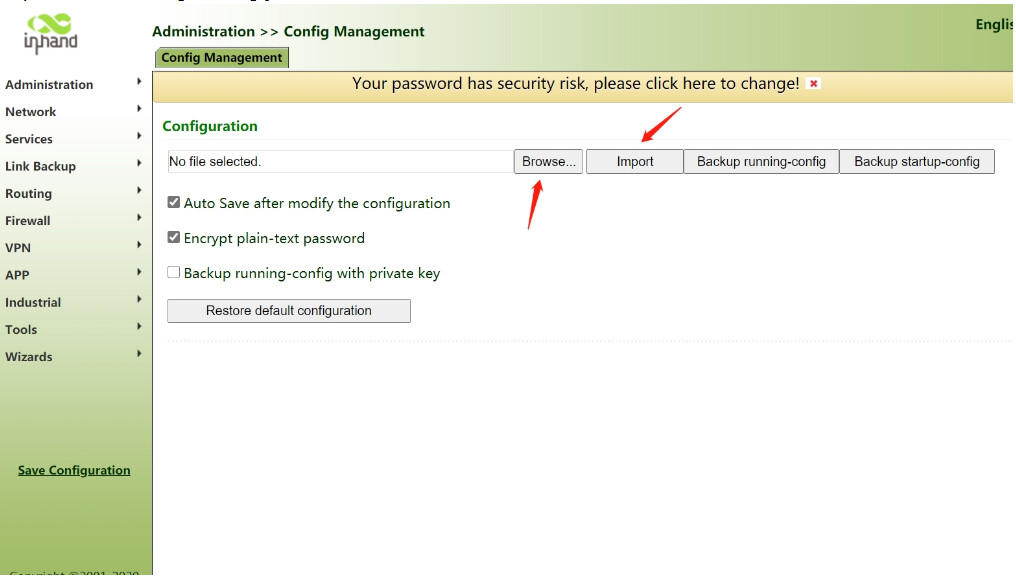
Save running configuration and export it.
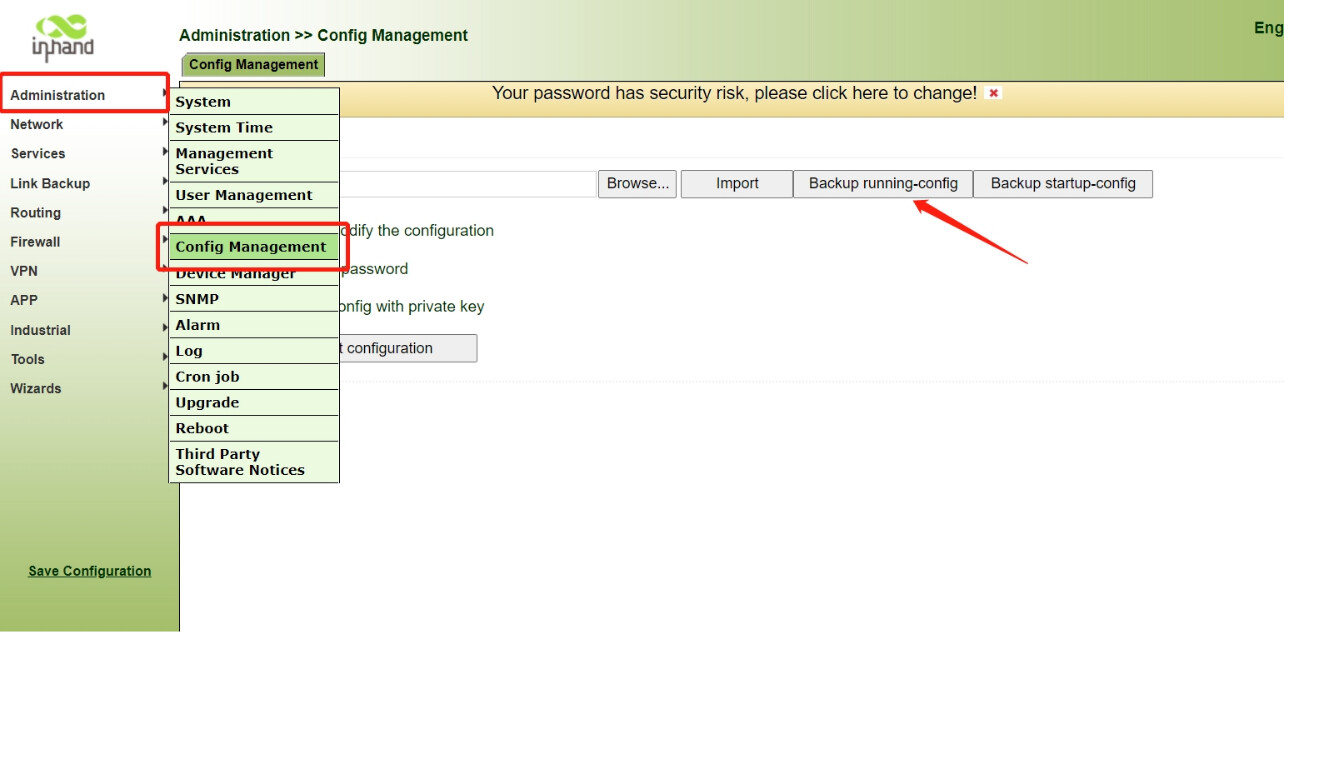
Go to Administration >> Config Management, click the
button of Backup running-config, and you will get a backup file, save it to suitable
location.
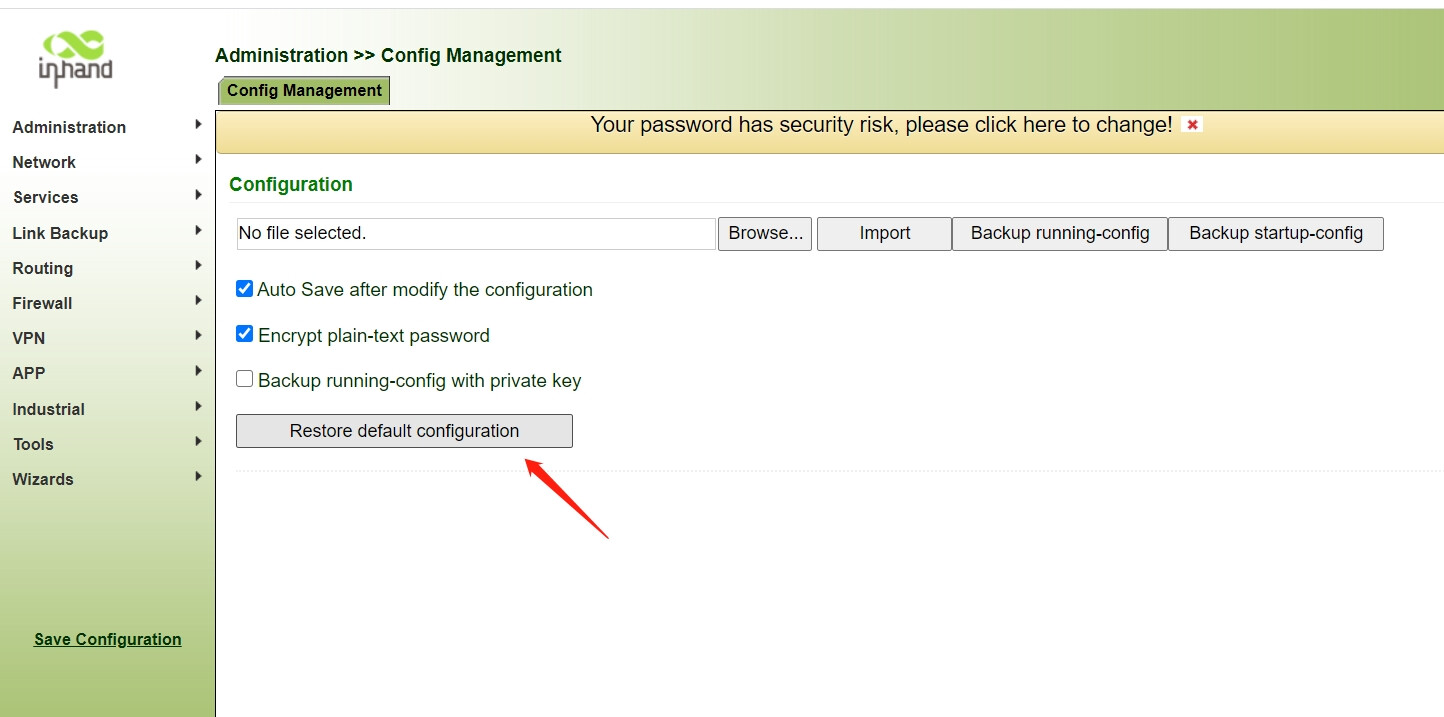
Reset the device
Go to Administration >> Config Management, click the
button of Restore default configuration.
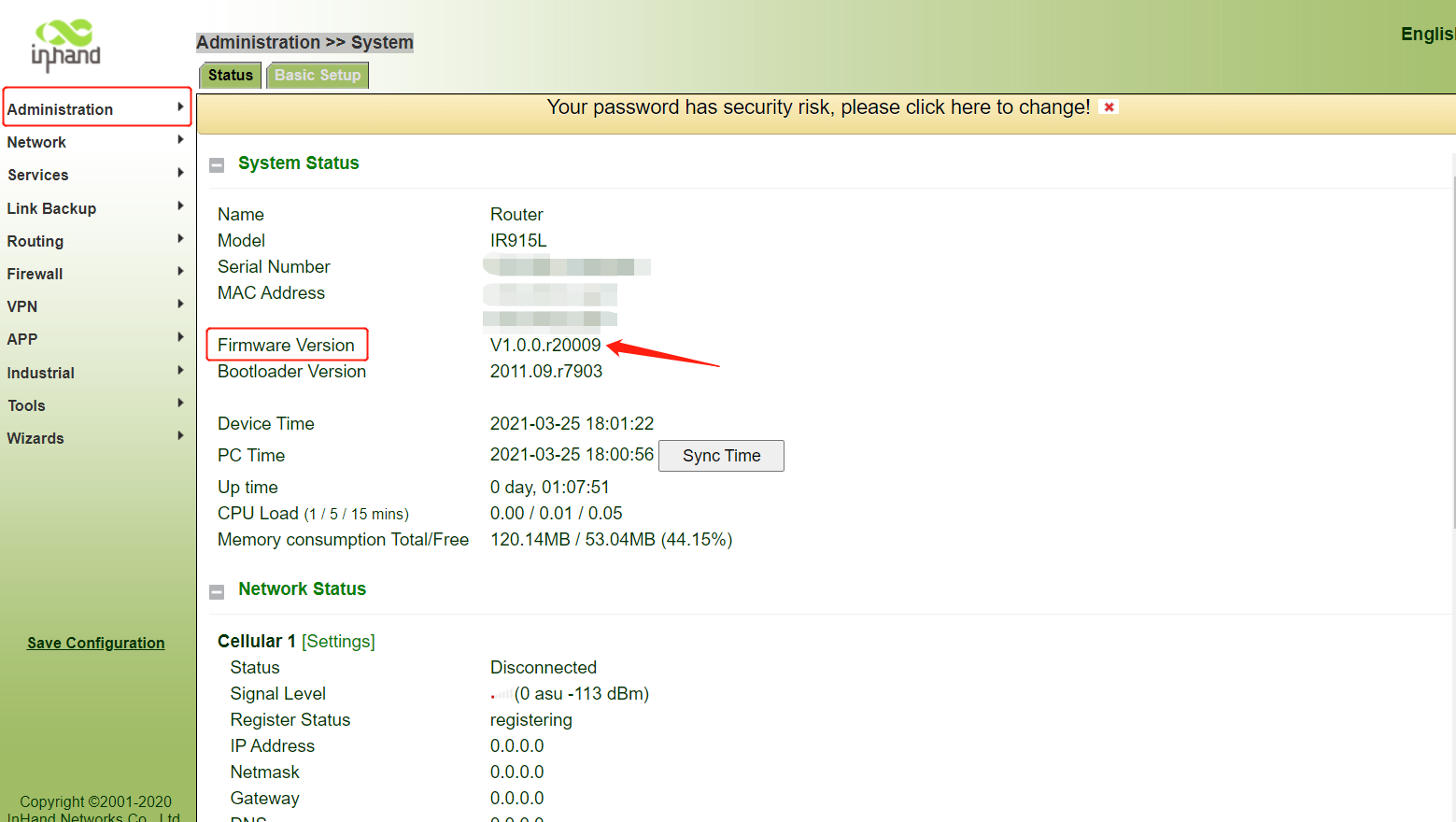
Check IR900 firmware version
Go to Administration >> System to check the current FW version.
Upgrading:
Step 1
Upgrade directly to a transitional version
?click me to learn how to upgrade the firmware
Step2
Upgrade the latest version using .pkg firmware files package
The upgrade method is the same as step 1, the only difference is
that the uploaded file is a .pkg package
Firmware download:
Transitional version(r20030)
Latest version(r20039 so far)