How to do NAT 1:1 LAN/WAN on IG502? Could anyone help please?
Network topology:
IG502 Interfaces
WAN
IP 10.155.60.177
MASK 255.255.255.192
GATEWAY 10.155.60.129
LAN
IP 192.168.1.1
MASK 255.255.255.0
Host Interface ( PLC )
IP 192.168.1.10
MASK 255.255.255.0
GATEWAY 192.168.1.1
Need 1:1 NAT to access 192.168.1.10 via a virtual IP like 10.155.60.178
we have to assign two IP addresses to WAN port, enable 1:1 NAT and set proper gateway on PLC
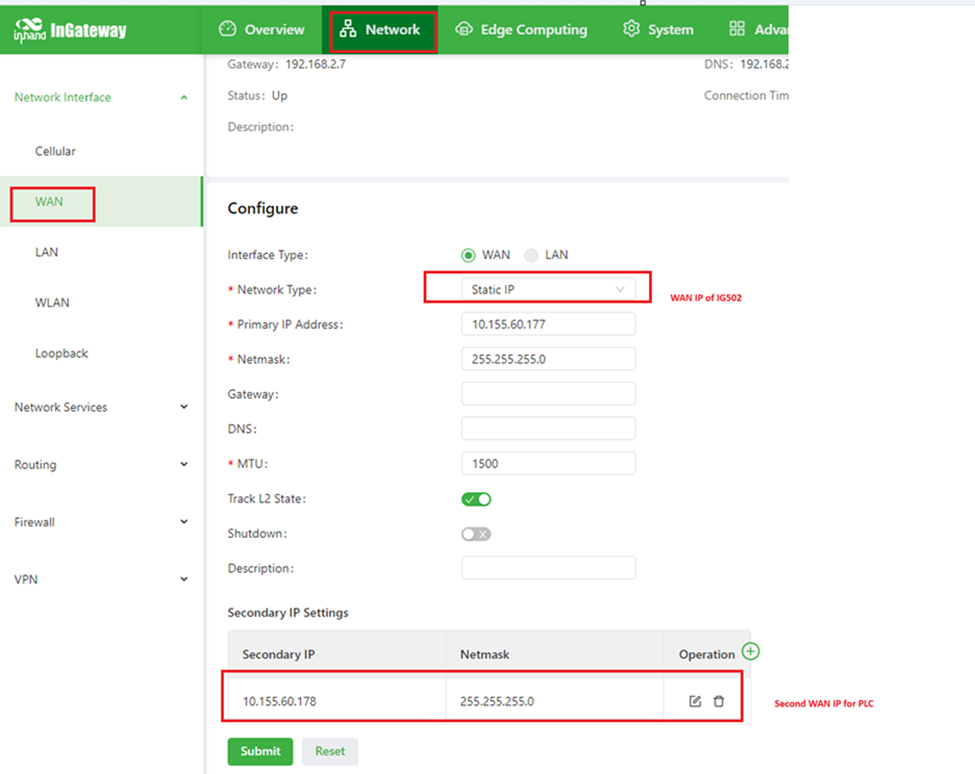
- WAN.
Since you need access PLC from 10.155.60.178 , we have set WAN with static
IP rather than DHCP. Please set 10.155.60.177 as main WAN IP for IG502,
and add 10.155.60.178 as a secondary IP.
-
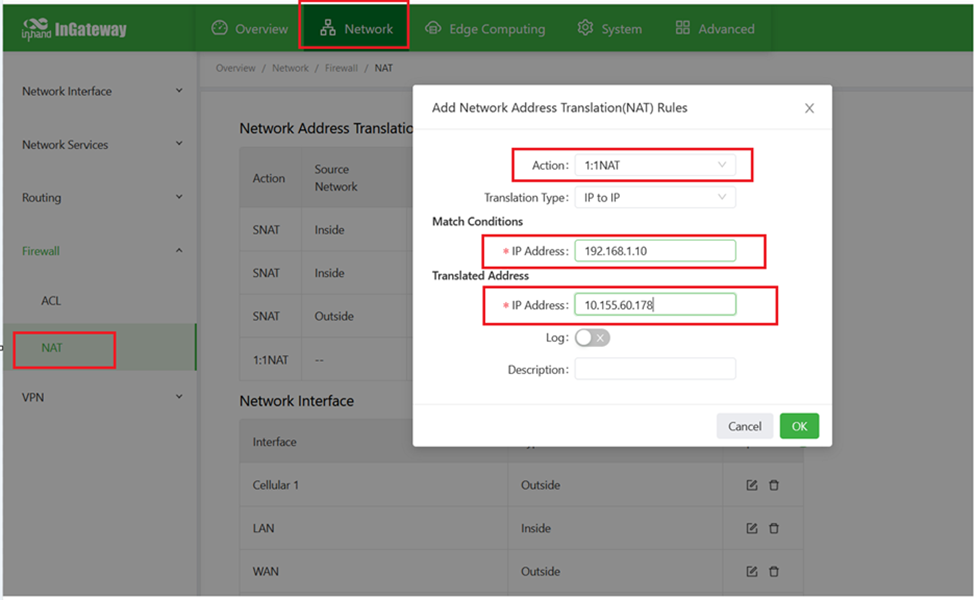
- 1:1
NAT. Go to Network=>Firewall=>NAT. Setup 1:1 NAT as below:
- On
PLC, we have to set gateway of PLC as the LAN IP of IG502, which is
192.168.1.1 in this case.
Thank you, Victor.
It worked.
It was exactly what I needed.
It worked.
It was exactly what I needed.