IR302-FQ32-WLAN-IO Not Rebooting After Internet Outage

Hello,

Have a bunch of these modems deployed and I noticed that they do not reboot when the internet goes out. I have to manually go to all the different devices at the different locations and manually initiate a reboot.

Is there a setting that I am missing or something I need to change? From what I was able to tell during setup, they came out of the box with the setting to reboot turned on.

I have them connected to the IoT dashboard if any data would help.
Hi Customer,

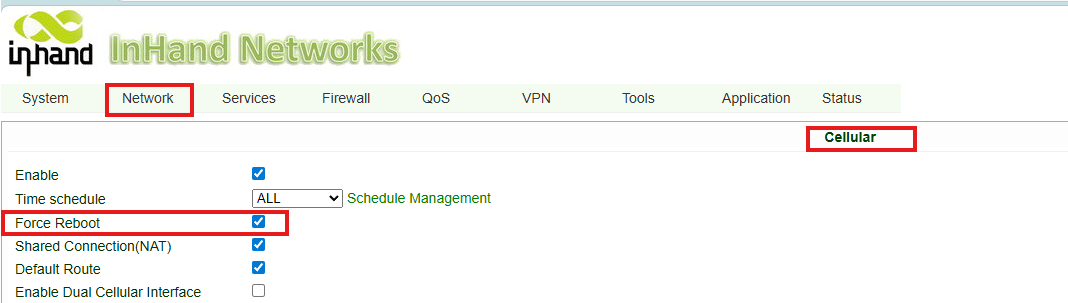
You could enable Force Reboot as well as ICMP Detection to expedite cellular modem reboot or even restart the router itself.

  • Please log in to the router. Default IP is 192.169.2.1. Credentials can be found from the nameplate.
  • Please go to Network > Cellular, enable Force Reboot. This will eventually restart the router itself after some fail cellular registration attemps. 
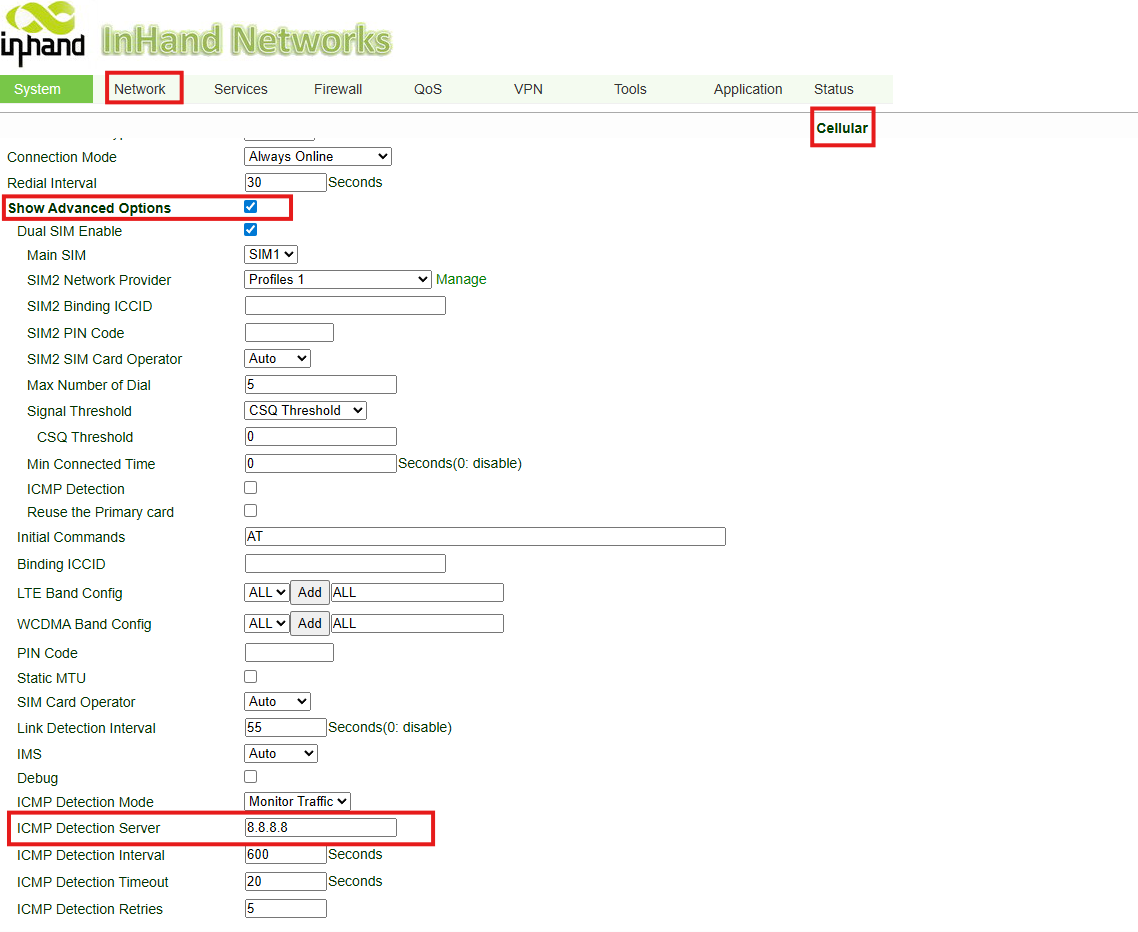
  • At the same page, check Show Advanced Options. Then set up the ICMP Detection Server. The router will ping this server to determain if it has Internet access. If the ping fails multiple times, the router will reboot the cellular modem.