1. Connect PC directly to router via Ethernet and log into router at 192.168.2.1 using default credentials (adm/123456)
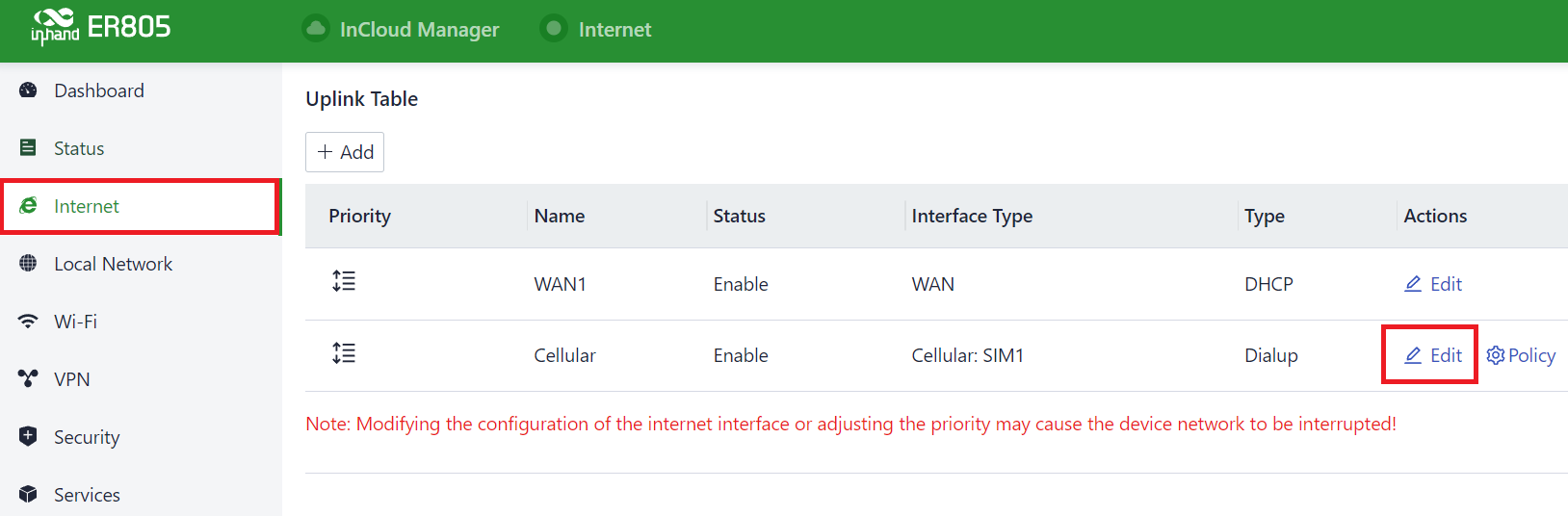
2. Go to Internet, and click the Edit of the cellular row.
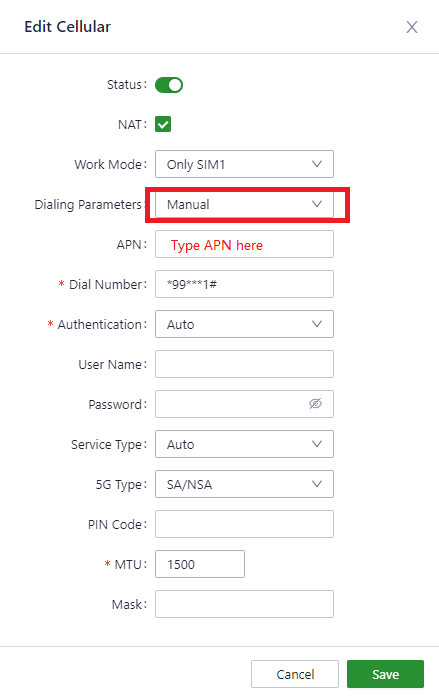
3. Change the Dialing Parameters to Manual, set the other parameters to the desired value and hit the Save.
15cc1bf54547164ba6f3a371197229d8.jpg439×697 13.4 KB