1. First, you need to create a
Device Manager account. Please follow the guide via: How to create an online portal account-Device Manager?
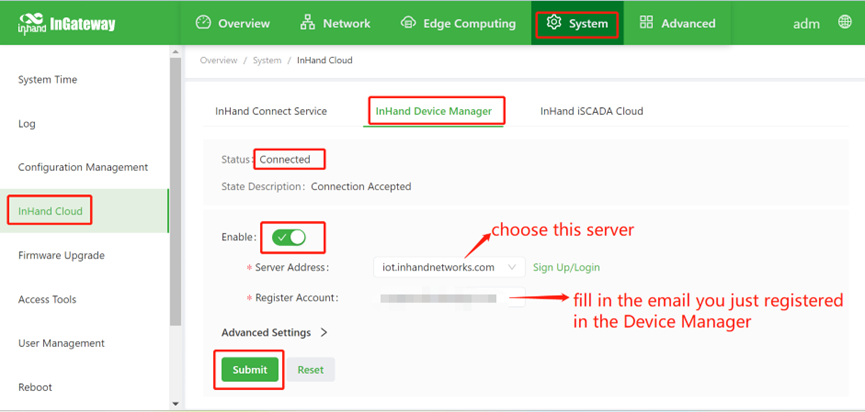
2. Then log in IG502, then follow
the guide below. Kindly remind that make sure the IG502 is connected with
Internet.
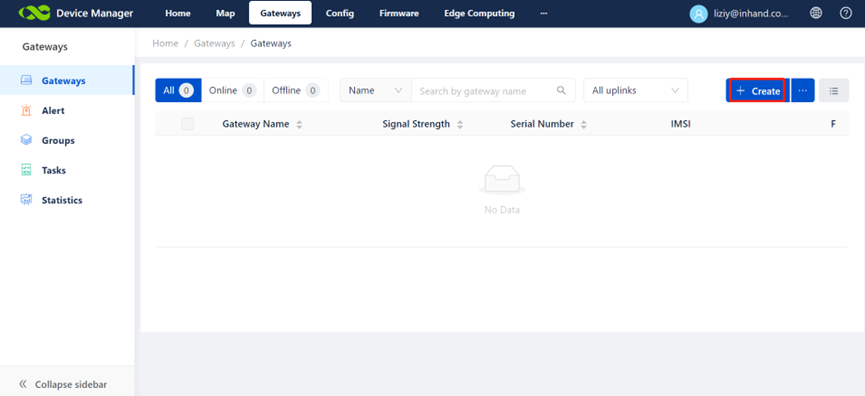
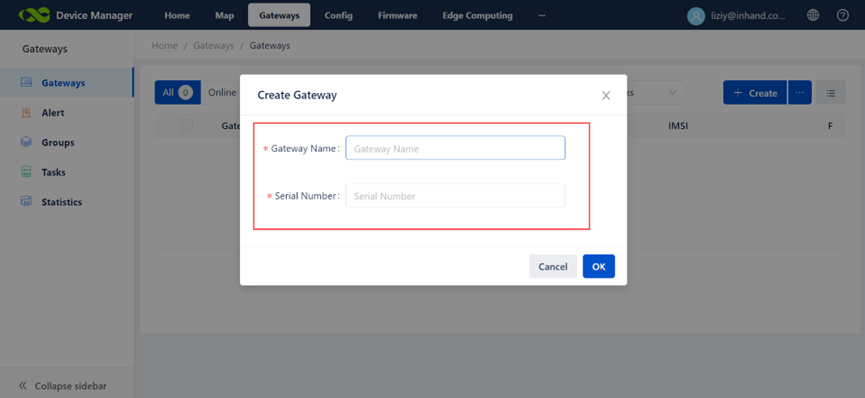
4. Fill in the Gateway name and
Serial number, then click OK button.
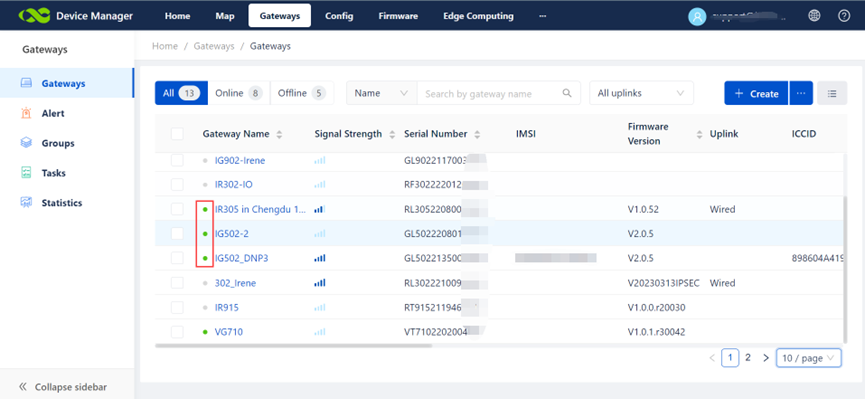
5. When the light shows green, it
means connected successfully.